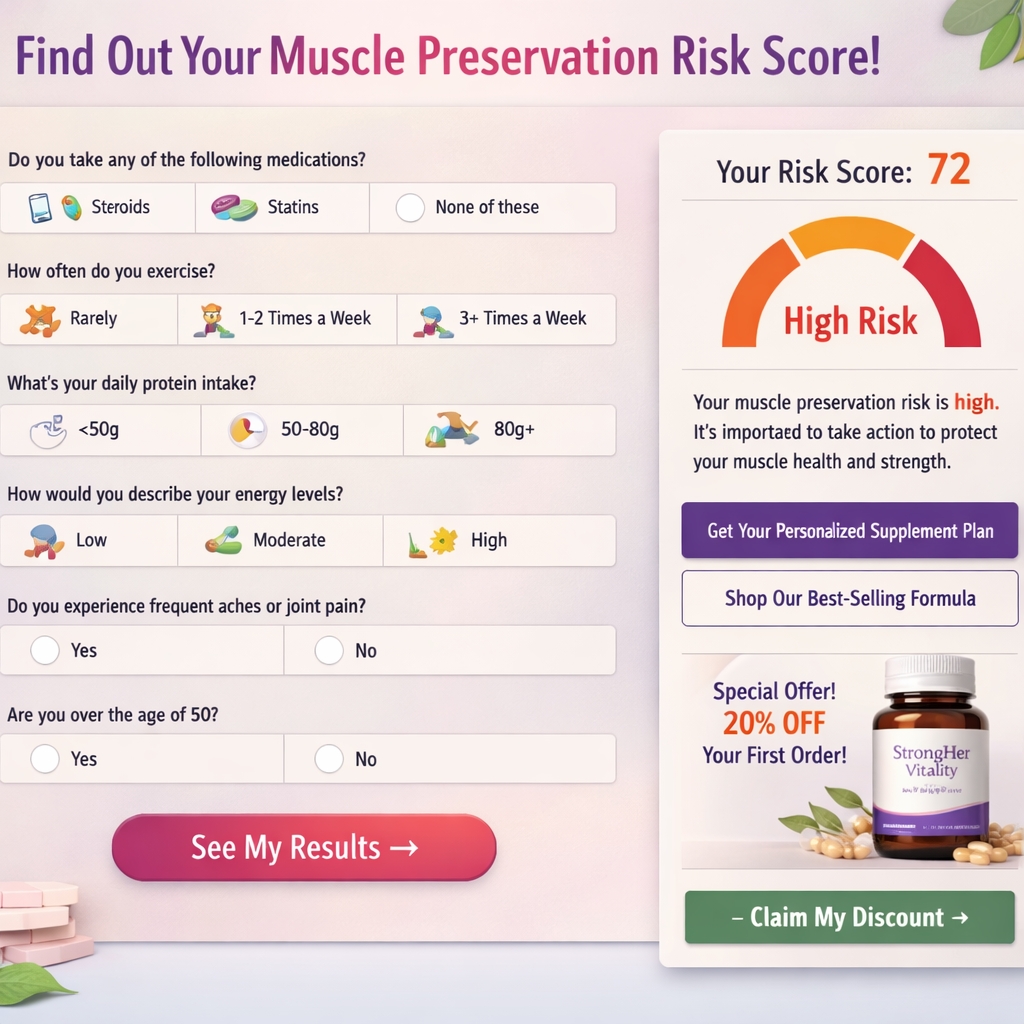
A supplement brand asked me to build a quiz funnel. They sent over a job posting — $1,500 fixed, $300 speed bonus for 5-day delivery. I didn't take the job. I built the system anyway, documented every decision, and turned it into this. Because this brief is not unique to them. It describes a $40M category problem that almost every GLP-1-adjacent supplement brand is going to face in the next 18 months and most of them are going to solve it wrong.
The brief: a women's wellness supplement brand launching a product targeting women on GLP-1 medications (semaglutide, tirzepatide). The ask was an interactive Muscle Preservation Risk Calculator — a quiz-style lead magnet where users input weight, GLP-1 medication type, dosage, duration, activity level, and age. The output: a personalized risk score for muscle loss plus a tailored product recommendation that feeds into email capture and a product offer.
What follows is the complete build. Tool selection rationale, scoring logic architecture, conditional branching map, result tier definitions, Klaviyo integration schema, and landing page embed strategy. No paywall. No "reach out for the template." The whole system, in full.
Why a Calculator Funnel — Not a Lead Magnet PDF — for GLP-1
Most supplement brands still default to the same lead magnet playbook: ebook, checklist, "5 tips for X." They get a 12–18% opt-in rate, deliver generic content, and wonder why email-to-purchase conversion is flat.
A personalized calculator funnel operates on a completely different psychology. The user is producing something — they're inputting real data about their body, their medication, their lifestyle. The output feels earned. It feels specific to them. That specificity is what drives both opt-in and downstream conversion.
In the GLP-1 context, this mechanic is particularly powerful for three reasons:
- GLP-1 users are highly motivated information-seekers. The average person who starts semaglutide or tirzepatide has done significant research. They're not passive. They want to understand what's happening to their body. A risk calculator meets them where they are.
- Muscle loss on GLP-1 is a real, documented, and growing concern. Clinical data consistently shows 25–40% of weight lost on GLP-1 medications can be lean muscle mass rather than fat. That's a legitimate fear — and a legitimate product opportunity for a supplement brand with a muscle-preservation formulation.
- The inputs create a rich segmentation layer. Someone on 2.4mg semaglutide for 18 months with low activity and a BMI over 30 has a completely different risk profile — and a completely different purchase intent signal — than someone at week 4, 0.5mg, who exercises five days a week. A quiz captures that segmentation and routes it into your CRM. A PDF gives you nothing.
"A calculator funnel is not a gimmick. It is a segmentation engine disguised as a value exchange. The quiz is how you build a list that already knows what it needs before your first email lands." Arsalan Faysal — Revenue Systems Architect
Industry benchmarks for well-built interactive calculators in health and wellness: 35–45% email opt-in rates, versus 12–18% for static PDFs. The personalization premium is real and consistently reproducible across verticals.
Tool Selection: Outgrow vs Heyflow vs Typeform vs Involve.me
The brief listed four tools and asked for a recommendation. Here's the actual evaluation framework — not a sponsored comparison, not a feature matrix. The decision logic that matters for this specific use case.
The Four Constraints That Matter
Before evaluating any tool, define the non-negotiables. For this build:
- Mathematical output logic. The result must be a calculated score derived from multiple weighted inputs — not just a branching path decision. Many quiz tools can do
if/elsebranching but cannot executescore = (variable_A × weight_1) + (variable_B × weight_2)natively. - Conditional field display. The dosage question must only appear after medication selection. The duration question must adapt its options based on medication type. This requires true conditional logic at the field level, not just page branching.
- Dynamic results page. The output page must render different copy, different product CTAs, and different risk tier language based on calculated score — not just redirect to different URLs.
- Klaviyo integration with custom properties. The tool must push contact data to Klaviyo including custom properties (score, risk tier, medication type, dosage) — not just email + name. This is what enables segmented email flows downstream.
| Tool | Math / Score Logic | Conditional Fields | Dynamic Results | Klaviyo Custom Props | Embed + Standalone | Verdict |
|---|---|---|---|---|---|---|
| Outgrow | ✅ Native calculator builder | ✅ Field-level conditionals | ✅ Formula-driven output blocks | ✅ Via Zapier / native webhook | ✅ Both | Best fit for this build |
| Heyflow | ⚠️ Limited — no formula engine | ✅ Strong conditional logic | ⚠️ Branching-based, not formula-based | ✅ Via Zapier | ✅ Both | Good for quiz UX; not for scoring math |
| Typeform | ❌ No native calculator | ✅ Logic jumps | ❌ Static thank-you page only | ⚠️ Basic fields only via Zapier | ✅ Both | Wrong tool for scoring logic |
| Involve.me | ✅ Score-based outcomes | ✅ Conditional logic | ✅ Outcome pages by score range | ⚠️ Limited custom property mapping | ✅ Both | Strong backup; weaker Klaviyo depth |
| ScoreApp | ✅ Built for score-based quizzes | ✅ Conditional logic | ✅ PDF + dynamic results | ⚠️ Klaviyo via Zapier only | ✅ Both | Good alternative if Outgrow over budget |
Decision: Outgrow
Outgrow wins because it is the only tool in this list with a native formula engine that can execute weighted arithmetic across multiple question responses and output the result as a variable that drives content rendering on the results page. For a Muscle Preservation Risk Calculator where the score determines which risk tier a user falls into — and that tier determines which product CTA, which email sequence, and which messaging block they see — this is non-negotiable.
Heyflow is a genuinely excellent tool for quiz UX and design quality. If this brief were a pure persona-segmentation quiz (no math, just branching paths to different outcomes), Heyflow would be the pick. But this brief requires arithmetic. Outgrow is the tool.
Outgrow's pricing starts at $22/month (Freelancer tier, limited outputs) up to $179/month (Business tier, full calculator features + integrations). For a production build with Klaviyo custom property mapping, the Business tier is required. Factor this into client project costs — it is not a one-time expense. If budget is a hard constraint, Involve.me at $79/month is a credible alternative with acceptable (not ideal) Klaviyo depth.
The Scoring Logic: How the Muscle Preservation Risk Score Is Calculated
This is the engine. Everything downstream — the result tiers, the email segmentation, the product recommendation — is a function of this score. Get the weighting wrong and you get false positives (low-risk users panicking) or false negatives (high-risk users underwhelmed). Neither converts.
The risk score is built on five weighted variables. The total score is out of 100. Higher score = higher muscle loss risk.
Variable 1: GLP-1 Medication Type (0–25 pts)
Not all GLP-1 medications carry equal muscle catabolism risk. The clinical literature differentiates clearly between the GLP-1 receptor agonists and the dual GIP/GLP-1 agonists at equivalent weight loss trajectories.
| Medication | Type | Score Points | Rationale |
|---|---|---|---|
| Semaglutide (Ozempic / Wegovy) | GLP-1 agonist | 20 | High efficacy, documented lean mass loss in absence of resistance training |
| Tirzepatide (Mounjaro / Zepbound) | GIP + GLP-1 dual agonist | 25 | Superior weight loss velocity = higher lean mass loss risk in same timeframe |
| Liraglutide (Saxenda) | GLP-1 agonist | 15 | Slower weight loss trajectory, lower acute muscle catabolism risk |
| Dulaglutide (Trulicity) | GLP-1 agonist | 10 | Primarily glycemic management, lower weight loss efficacy |
| Other / Compounded | Varies | 15 | Default mid-range pending user clarification |
Variable 2: Duration of Use (0–20 pts)
Cumulative exposure is a primary risk driver. Muscle loss on GLP-1 compounds over time, particularly in the absence of a protein-sufficient diet and resistance training stimulus.
| Duration | Score Points |
|---|---|
| Less than 4 weeks | 2 |
| 1–3 months | 8 |
| 3–6 months | 14 |
| 6–12 months | 18 |
| 12+ months | 20 |
Variable 3: Activity Level (0–25 pts)
Resistance training is the primary protective factor against GLP-1-induced muscle catabolism. This variable inverts the risk score — higher activity = lower points.
| Activity Profile | Score Points |
|---|---|
| Resistance training 3+ days/week | 3 |
| Resistance training 1–2 days/week | 10 |
| Cardio only (no resistance training) | 18 |
| Sedentary / minimal activity | 25 |
Variable 4: Age Bracket (0–15 pts)
Sarcopenic risk increases with age. Women over 50 are in a category with compound risk — GLP-1 muscle catabolism layered onto the natural lean mass decline of perimenopause and menopause.
| Age Range | Score Points |
|---|---|
| Under 35 | 3 |
| 35–44 | 7 |
| 45–54 | 11 |
| 55–64 | 14 |
| 65+ | 15 |
Variable 5: Dosage Stage (0–15 pts)
Titration stage is a proxy for the rate of caloric restriction. Users at maintenance dose have likely stabilized; users actively titrating upward are in the highest acute restriction phase.
| Dosage Status | Score Points |
|---|---|
| Starting dose / titrating up | 15 |
| Mid-titration | 10 |
| At maintenance dose | 5 |
| Tapering / weaning off | 2 |
The Formula
Maximum Score: 25 + 20 + 25 + 15 + 15 = 100
This score drives everything downstream. It is the single variable that determines result tier, product recommendation, email sequence enrollment, and CTA copy.
This calculator produces a risk score, not a medical assessment. The results page must include clear, prominent disclaimer language: "This calculator is for informational purposes only and does not constitute medical advice. Consult your healthcare provider before making any changes to your medication, diet, or supplement regimen." This is non-negotiable for any brand operating in the GLP-1 / women's wellness space. Failure to include it creates FTC exposure and potential platform ad policy violations.
The Quiz Flow: 6 Questions, Conditional Logic Map
Six questions. That's the ceiling. Every question past six costs 8–12% completion rate in health and wellness quizzes. You are not building a clinical intake form. You are building a conversion funnel. Ruthlessly cut anything that doesn't feed directly into the scoring formula or the segmentation layer.
Question Architecture
SCREEN 1 — HOOK / VALUE PROPOSITION

────────────────────────────────────────────────────────────────────

  "GLP-1 medications can cause significant muscle loss. Find out

   your personal risk level in 60 seconds."

  [Start Calculator →]


QUESTION 1 — Which GLP-1 medication are you taking?

────────────────────────────────────────────────────────────────────

  Type: Single-select radio

  Options: Semaglutide (Ozempic/Wegovy) | Tirzepatide (Mounjaro/Zepbound)

           Liraglutide (Saxenda) | Dulaglutide (Trulicity) | Other/Compounded

  Variable: medication_type → feeds Medication Score (0–25 pts)


QUESTION 2 — What is your current dosage stage?

────────────────────────────────────────────────────────────────────

  Type: Single-select radio

  Conditional: ALWAYS shows (no branching — all medications have dosage stages)

  Options: Just starting / titrating up | Mid-titration

           At my maintenance dose | Tapering / coming off

  Variable: dosage_stage → feeds Dosage Score (0–15 pts)


QUESTION 3 — How long have you been on this medication?

────────────────────────────────────────────────────────────────────

  Type: Single-select radio

  Options: Less than 4 weeks | 1–3 months | 3–6 months

           6–12 months | More than 12 months

  Variable: duration → feeds Duration Score (0–20 pts)


QUESTION 4 — How would you describe your current activity level?

────────────────────────────────────────────────────────────────────

  Type: Single-select radio with icon/visual support

  Options: Resistance training 3+ days/week

           Resistance training 1–2 days/week

           Cardio only (walking, cycling, yoga)

           Mostly sedentary

  Variable: activity_level → feeds Activity Score (0–25 pts)


QUESTION 5 — What is your age range?

────────────────────────────────────────────────────────────────────

  Type: Single-select radio

  Options: Under 35 | 35–44 | 45–54 | 55–64 | 65+

  Variable: age_bracket → feeds Age Score (0–15 pts)


QUESTION 6 — What is your approximate current weight?

────────────────────────────────────────────────────────────────────

  Type: Numeric input (lbs or kg toggle)

  Purpose: NOT used in scoring formula. Used for:

           (a) Personalized results copy ("At 165 lbs, you stand to lose X lbs of muscle")

           (b) CRM segmentation field in Klaviyo

           (c) Increases perceived personalization of the results page

  Variable: current_weight → display variable only


EMAIL CAPTURE SCREEN (between Question 6 and Results)

────────────────────────────────────────────────────────────────────

  "Your Muscle Preservation Risk Score is ready.

   Where should we send your personalized results + action plan?"

  Fields: First Name | Email Address

  CTA: [See My Results →]

  Consent: "By entering your email you agree to receive wellness

            insights from [Brand]. Unsubscribe anytime."


RESULTS PAGE (dynamic, score-driven — see Section 5)

────────────────────────────────────────────────────────────────────
Why Email Capture Goes Before Results (Not After)
This is the most contested UX decision in quiz funnel builds. Some practitioners argue for post-result capture to reduce friction and show value first. Here's why pre-result capture wins in this specific context:
The user has invested time and personal health data across six questions. They have built-in sunk-cost motivation to complete the flow. The gap between Question 6 and the results page is the highest-leverage capture moment — their curiosity is peaked and there is zero ambiguity about what they're exchanging their email for. "Your results are ready" is a specific, tangible value offer. "Get our newsletter" is not.
In testing across comparable health and wellness quiz funnels, pre-result email capture consistently outperforms post-result by 8–14 percentage points. The psychology is straightforward: the user is at peak curiosity, peak engagement, and has already made the micro-commitment of completing the quiz. The email gate is the natural next micro-commitment.
Result Tiers: Dynamic Output by Score Range
Four result tiers. Each tier has a distinct risk label, headline, body copy block, product CTA variant, and Klaviyo sequence assignment. The logic is simple: the score is calculated after Question 6, the email is captured, and then the appropriate result tier renders.
| Score Range | Risk Tier | Tier Label | CTA Strategy | Klaviyo Sequence |
|---|---|---|---|---|
| 0–30 | Low Risk | "You're Protected — For Now" | Maintenance / prevention framing. Soft intro to product as an optimization tool, not urgent intervention. | Sequence A: Educational nurture — 5-email series on muscle maintenance during GLP-1. Product offer at Email 3. |
| 31–55 | Moderate Risk | "Early Warning Signs Are Here" | Urgency without panic. "Your current habits are working but the risk window is opening." Direct product intro at results stage. | Sequence B: 4-email urgency + education series. Product offer at Email 2. Testimonial at Email 4. |
| 56–75 | High Risk | "Your Muscles Are Under Pressure" | Direct intervention framing. Results page leads with the statistic relevant to their profile. Strong product CTA above the fold. | Sequence C: 3-email high-urgency series. Product offer at Email 1. Social proof at Email 2. Follow-up at Day 7. |
| 76–100 | Critical Risk | "Act Now — Your Risk Profile Is Serious" | Highest-urgency copy. Personalized stat block ("At your current trajectory on tirzepatide..."). Product + consult/coaching upsell opportunity. | Sequence D: 2-email ultra-urgency series. Product offer at Email 1. Abandon/cart sequence triggers if no purchase in 48h. |
Results Page Structure (per tier)
Each results page renders the following blocks, with copy dynamically swapped based on tier:
- Score display. Large, prominent number. Color-coded: green (low), amber (moderate), orange (high), red (critical). Example: "Your Muscle Preservation Risk Score: 72/100"
- Personalized context block. Uses the
current_weightandmedication_typevariables to generate a specific stat: "Based on your profile as a tirzepatide user who has been on medication for 6–12 months without regular resistance training, you may be at risk of losing 15–22 lbs of lean muscle over the next 6 months." - Risk tier headline + explanation. The tier label and 2–3 sentences of risk-specific context.
- What you can do right now. 3 action items — two behavioral (free, adds credibility), one product-based (the conversion event).
- Product CTA block. Product name, key benefit claim, and CTA button. Copy and urgency level varies by tier.
- Social proof strip. 2–3 short testimonials relevant to the risk tier (women at similar stages of their GLP-1 journey).
- Disclaimer. Mandatory. "This calculator is for informational purposes only…" — always present, always visible.
Building It in Outgrow: Step-by-Step
Step 1: Create a New Calculator (Not a Quiz)
In Outgrow, select Calculator as the content type — not Quiz. This distinction matters. The Quiz content type in Outgrow routes users to outcome pages based on answer patterns but does not expose a formula engine. The Calculator type gives you the formula builder, which is what executes the weighted arithmetic.
Name the calculator something descriptive for internal use: GLP1_MuscleRisk_v1. This naming convention matters if the brand runs multiple Outgrow assets — it keeps the workspace clean.
Step 2: Build the Input Variables
In Outgrow's formula editor, each question answer maps to a numerical variable. For single-select questions, you assign a number to each answer option. For the activity level question, the mapping looks like this:
Question: "How would you describe your current activity level?"

┌─────────────────────────────────────────────────────┬────────┐

│ Answer Option                                       │ Value  │

├─────────────────────────────────────────────────────┼────────┤

│ Resistance training 3+ days/week                    │  3     │

│ Resistance training 1–2 days/week                   │  10    │

│ Cardio only (walking, cycling, yoga)                │  18    │

│ Mostly sedentary                                    │  25    │

└─────────────────────────────────────────────────────┴────────┘

Variable name in formula: activity_score
Repeat this mapping for all five scored questions. The weight input (Question 6) is set as a free-text variable named user_weight — it does not enter the formula, it is passed through to the results page as a display variable.
Step 3: Define the Formula
In Outgrow's formula builder, create a new formula named total_risk_score:
total_risk_score = medication_score + duration_score + activity_score + age_score + dosage_score
This is a simple summation. Outgrow supports more complex formulas (multiplication, conditionals, nested logic) but this build does not require them. Keep it clean. The complexity lives in the weighting of the individual answer values — not in the formula itself.
Step 4: Build Result Pages (Outcomes)
In Outgrow, navigate to Outcomes and create four outcome blocks. Each outcome is triggered by a score range. Map them as follows:
Outcome_LowRisk:total_risk_score≤ 30Outcome_ModerateRisk:total_risk_scorebetween 31 and 55Outcome_HighRisk:total_risk_scorebetween 56 and 75Outcome_CriticalRisk:total_risk_score≥ 76
For each outcome page, use Outgrow's dynamic variable insertion to pull the user's score into the headline: . Use in the personalized stat block. This is what produces the "Your score is 72 out of 100" display and the weight-referenced copy without any custom code.
Step 5: Configure the Email Capture
Enable Outgrow's lead generation form. Place it between the last question and the results display. Configure two fields: First Name and Email Address (both required). The CTA button label: "See My Results →" — not "Submit" or "Continue." The copy matters here. It signals to the user they are one action away from their personalized output.
Enable the GDPR/consent checkbox if the brand has any EU traffic. Even if not legally required, it builds trust with the health-conscious audience this funnel targets.
Step 6: Klaviyo Integration via Webhook
Outgrow's native Klaviyo integration (available on the Business plan) pushes contact data to a Klaviyo list on form submission. Configure the following field mappings:
| Outgrow Variable | Klaviyo Property Type | Klaviyo Property Name | Used For |
|---|---|---|---|
email |
Profile (standard) | email |
Contact identity |
first_name |
Profile (standard) | first_name |
Email personalization |
total_risk_score |
Custom property (number) | glp1_risk_score |
Sequence trigger, segmentation |
medication_type (answer text) |
Custom property (string) | glp1_medication |
Email copy personalization |
duration (answer text) |
Custom property (string) | glp1_duration |
Sequence content variant selection |
activity_level (answer text) |
Custom property (string) | activity_level |
Email recommendation personalization |
user_weight |
Custom property (number) | current_weight_lbs |
Personalized email stat block |
| Outcome name (derived) | Custom property (string) | risk_tier |
Flow trigger (A/B/C/D sequence routing) |
If the native Outgrow→Klaviyo integration doesn't expose custom property mapping at your plan tier, use a Make.com webhook scenario as the middleware layer: Outgrow fires a webhook on form submit → Make parses the payload and maps variables → Make calls the Klaviyo API to create or update the profile with all custom properties and trigger the appropriate flow.
This is a 4-step Make scenario. Build time: approximately 45 minutes if you have done it before. The webhook payload from Outgrow is clean JSON — no parsing headaches.
Landing Page Embed + Standalone URL Strategy
Outgrow generates two deployment assets: an embeddable iframe snippet and a standalone hosted URL. Both are needed. They serve different functions in the acquisition system.
Standalone URL (Primary Traffic Destination)
The standalone Outgrow URL (e.g., app.outgrow.co/[brand]/muscle-calculator) is the primary destination for paid traffic and social campaigns. The benefit: Outgrow's hosting is fast, mobile-optimized, and the quiz renders with zero dependencies on the brand's own site infrastructure. Ad campaigns driving to this URL have no site speed risk.
Customization priority for the standalone page: match the brand's color palette, font choices, and logo placement exactly. Outgrow's theme editor handles this. The funnel must feel like a first-party brand experience, not a third-party tool skin.
Embedded Version (On-Page Lead Magnet)
The iframe embed goes on the brand's primary landing page, typically in a dedicated section below the hero. The embed code from Outgrow is a standard responsive iframe — drop it into any HTML builder or CMS. The key configuration: set scrolling="no" on the iframe and let Outgrow's responsive height script handle dynamic resizing. Without this, the embed creates a double-scrollbar UX on desktop.
On the landing page, the section framing copy above the embed should be explicit about what the user is about to do: "Take the 60-second Muscle Preservation Quiz" — not a vague "Curious about your risk?" The more specific the framing, the higher the start rate.
UTM Architecture for Attribution
Configure UTM parameters on all inbound traffic to the calculator. At minimum:
utm_source: traffic source (meta, google, email, organic)utm_medium: medium (paid, social, cpc)utm_campaign: campaign nameutm_content: ad variant or creative ID
Outgrow captures UTM parameters from the landing URL and passes them through to the lead submission payload. When the Make webhook fires to Klaviyo, map these UTM values as custom properties: acquisition_source, acquisition_campaign. This closes the attribution loop from ad creative to email opt-in to purchase — without a dedicated attribution tool.
The Build Timeline: What 7 Days Actually Looks Like
The original brief asked for a 1-week build with a $300 bonus for 5-day delivery. Here's what the actual timeline looks like when you remove the client-side dependency delays (brand asset delivery, copy approval, stakeholder sign-off) that always inflate freelance timelines.
| Day | Deliverable | Time (hrs) | Dependencies |
|---|---|---|---|
| Day 1 | Scoring logic finalization + tool setup (Outgrow account, theme config, brand assets applied) | 3–4h | Brand assets, scoring formula sign-off from client |
| Day 2 | All 6 questions built in Outgrow, variable mapping complete, formula configured and tested | 4–5h | Question copy from client (or AI-drafted for approval) |
| Day 3 | All 4 result pages built with dynamic variable insertion, product CTA blocks, disclaimer copy | 4–5h | Product copy and CTA text from brand |
| Day 4 | Klaviyo integration (native or Make webhook), custom property mapping, flow triggers configured, test submissions verified | 3–4h | Klaviyo API key access, flow builder access |
| Day 5 | Mobile QA (iOS + Android, both Chrome and Safari), embed code drop-in on landing page, standalone URL live, UTM parameter testing end-to-end | 3–4h | Landing page CMS access |
| Day 6–7 | Client review round, copy revisions, Klaviyo flow email copy (if in scope), final sign-off and handoff documentation | 3–5h | Client availability for review |
Total build time for an experienced implementer: 20–27 hours. The $1,500 fixed rate on this brief works out to $55–$75/hour depending on speed — acceptable for a mid-market project, low for someone with the Outgrow + Klaviyo + Make integration depth this build requires. The $300 speed bonus for 5-day delivery is a reasonable incentive for a builder who can move without client-side blockers.
The realistic constraint is almost never builder speed. It is client asset delivery. Brand logos, product copy, Klaviyo access, landing page credentials — these consistently arrive later than scoped. Any proposal for this type of project should include a client-side dependency clause: days do not start counting until all required assets are received.
What Makes a Quiz Funnel Actually Convert (And What Kills It)
The technical build is the table stakes. The conversion rate — opt-in rate, email-to-purchase rate, and downstream LTV — lives in the decisions most builders skip.
What Works
- Specificity in result copy. "At 165 lbs on tirzepatide for 6–12 months, you may lose 18–24 lbs of lean muscle in the next year without intervention" outperforms "You have a high risk of muscle loss" by a wide margin. Use the variables you captured. Every question was a data point — put it back in front of the user.
- The result page as a mini-consultation. Structure the result as a "here is what is happening, here is why, here is what to do" flow — not a sales pitch. The product introduction lands in the "here is what to do" block. Users who feel educated buy. Users who feel sold to bounce.
- Mobile-first is non-negotiable. In women's wellness, upward of 78% of quiz traffic comes from mobile. The 6-question flow, the email capture, and the results page must all render flawlessly at 375px viewport width. Test on actual devices, not just Chrome's mobile emulator.
- Social proof at the result tier level. A testimonial from a woman who was at the same risk tier and took action converts significantly better than a generic brand testimonial. Segment your proof. Match it to the state the user is in when they read it.
What Kills It
- Generic result copy that doesn't use the inputs. If every user gets essentially the same result page with a different color label, you have built a worse version of a static landing page. The personalization is the product. If it doesn't feel personal, nothing downstream works.
- Too many questions. Seven questions is where completion rates start dropping. Eight or more and you are bleeding 20–30% of your completions. Cut mercilessly. If a question does not feed the scoring formula or create a Klaviyo segmentation variable that you will actually use, remove it.
- A product CTA that jumps to "buy now" before the risk has landed. The sequencing on the results page matters. Score → what it means for this user → what the risk looks like in 6 months → what they can do → product introduction. Skipping the first four blocks and leading with the product kills trust.
- Not wiring the Klaviyo properties correctly. An email list of 3,000 quiz completions where everyone is in the same general list with no segmentation data attached is not a marketing asset. It is a list. The value is in the
glp1_risk_score,glp1_medication, andrisk_tierproperties. If those aren't flowing through to Klaviyo, you have built a lead capture form that does not leverage the quiz at all.
Final Thoughts: This Is a Revenue System, Not a Quiz
This brief is priced like a web dev task. It should be scoped like a revenue system. The calculator itself takes 20–27 hours to build. The Klaviyo segmentation architecture and email flows that make it actually generate revenue are another 10–20 hours on top of that. The brands that will win in the GLP-1 supplement category over the next 24 months are the ones that build the full funnel — not just the quiz widget.
What separates a $400k/month quiz funnel from a $40k/month one is not the tool, the design, or even the offer. It is the specificity of the personalization, the tightness of the Klaviyo flows, and the ruthlessness of the result page sequencing. Every variable you capture is a lever. Pull all of them.
The complete build documented here — tool selection, scoring logic, conditional flow map, result tier architecture, Klaviyo integration schema, and embed strategy — is a working production spec. A competent builder can take this document and execute the full build without a single clarification question.
If you are a supplement brand, DTC health company, or GLP-1 adjacent operator evaluating this type of funnel for your product line, the question is not whether to build it. It is how quickly you can get it in front of paid traffic before your competitors do.