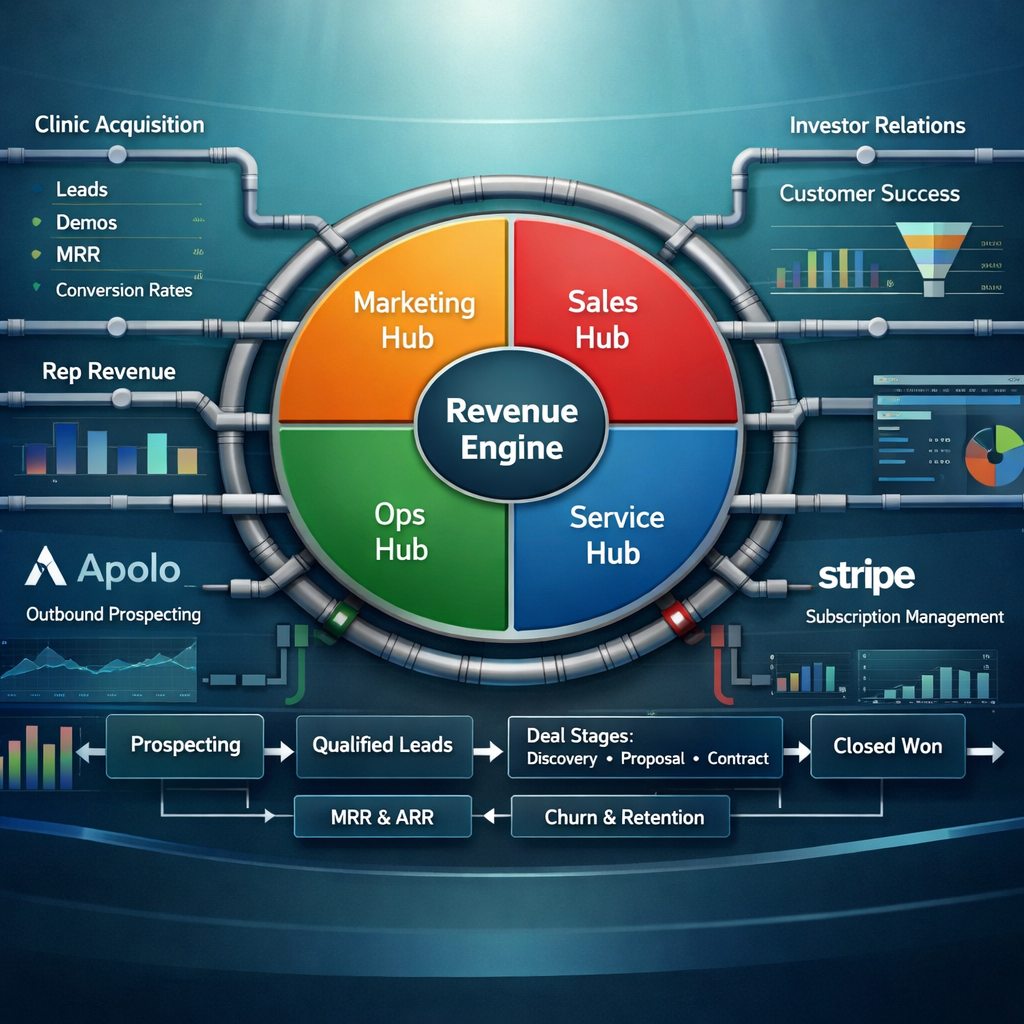
A healthcare SaaS company with a business model that breaks every standard CRM assumption. Clinics use the platform for free. Medical and pharma reps are the paying users. Each clinic that adopts the platform is worth not one subscription — but potentially 25 to 50. The revenue is distributed, rep-level, and trial-gated through Stripe. None of that fits inside a default HubSpot setup. None of it.
They came to us at the architecture stage — before any pipeline had been built, before a single SDR had touched HubSpot, before Apollo lists had been imported anywhere. They knew they needed a revenue operating system. They also knew that building it wrong at the start would cost them far more than getting it right first.
The brief was clear: design the full HubSpot architecture for a two-sided healthcare SaaS platform, integrate it with Apollo for outbound, connect Stripe for subscription revenue tracking, build reporting dashboards that could support both daily sales decisions and future investor conversations, and train the team to operate it confidently. Then build it. The client is anonymised here. The architecture is not — every decision, every pipeline stage, every automation logic is documented exactly as it was designed and deployed.
A CRM is not a database. It is a decision-making surface. If you cannot look at your HubSpot dashboard in under sixty seconds and know exactly where your revenue is at risk, the architecture is wrong. Arsalan Faysal — Revenue Systems Architect
Phase 1: The Architecture Sprint — Before We Touched HubSpot
The most common mistake in CRM projects is starting inside the tool. Opening a HubSpot account, creating a pipeline, and calling it a revenue system. That is not a system. That is a graveyard for data that nobody trusts because nobody designed it with the actual revenue motion in mind.
We do not touch the tool until the architecture is agreed. For this client, that meant a focused sprint with one goal: produce a complete written design document before a single field was created in HubSpot. Twenty-one deliverables. Every assumption documented. Every integration mapped. Every pipeline stage defined with entry and exit criteria so the team would never have to guess whether a deal belonged in stage three or stage four.
The architecture sprint started with understanding the actual revenue motion — not what they hoped it would be, but what it actually was at this stage of the company.
| Revenue question | What we needed to answer | Why it mattered for the architecture |
|---|---|---|
| Who is the buyer? | Clinics do not pay. Reps pay. The clinic is the acquisition vehicle, not the revenue unit. | HubSpot's standard deal model treats the company as the buyer. We needed a custom object model where reps, not clinic contacts, held the subscription data. |
| What triggers revenue? | A rep creates an account, enters card details, starts a 14-day trial, and converts on day 15. | Stripe had to be the source of truth for subscription status. HubSpot had to reflect it — not own it. |
| What is a clinic worth? | Each live clinic brings 25 to 50 reps who call on it. MRR per clinic = rep conversion rate × rep count × subscription price. | Clinic records needed a custom property for rep count, active subscribers, MRR attribution, and expansion potential. |
| Where is outbound happening? | Apollo for cold prospecting and SDR sequencing. HubSpot for qualified opportunities and everything downstream. | Apollo and HubSpot needed a clean handoff boundary — not a blind sync that dumps 40,000 cold contacts into the CRM on day one. |
| Who else needs to be tracked? | Investors and VCs needed their own pipeline for fundraising management. | Investor records required complete separation from commercial contacts — different pipeline, different lifecycle, different reporting. |
This is the work that prevents you from rebuilding your CRM in six months. Every client who skips the architecture sprint eventually pays for it twice.
Phase 2: The HubSpot Object Model — Built for Two Sides
A standard HubSpot setup gives you companies, contacts, and deals. For a two-sided marketplace where the paying user and the acquisition target are completely different people, that model fails immediately. We rebuilt it from the object level up.
HUBSPOT OBJECT MODEL — HEALTHCARE SAAS PLATFORM
------------------------------------------------------------------
[Company Record: Clinic]
  |-- Properties: Specialty, State, Rep Count (estimate),
  |               Active Subscribers, MRR by Clinic,
  |               Clinic Status, Apollo List Source,
  |               Onboarding Phase, Go-Live Date
  |
  +-- [Contact: Clinic Operations Lead]
  |     Primary decision-maker. Drives adoption internally.
  |     Associated to Clinic Acquisition Pipeline deal.
  |
  +-- [Contact: Rep (Paying User)]
  |     Individual pharma/med rep who calls on this clinic.
  |     Associated to Rep Revenue Pipeline deal.
  |     Properties: Trial Start Date, Trial Status,
  |                 Stripe Customer ID, Stripe Subscription Status,
  |                 Subscription Start Date, MRR Contribution,
  |                 Clinic(s) Associated, Rep Specialty
  |
  +-- [Deal: Clinic Acquisition]
  |     Tracks the clinic through approval → live → rep activation.
  |     Owned by SDR / AE depending on stage.
  |
  +-- [Deal: Rep Revenue]
        Tracks individual rep from invitation → trial → paid.
        Stripe subscription status synced as custom property.

[Company Record: Investor / VC Firm]
  |
  +-- [Contact: Investor / Partner]
  |
  +-- [Deal: Investor Relations Pipeline]
        Separate pipeline. No crossover with commercial records.
        Properties: Fund Size, Stage Focus, Warm Intro Source,
                    Last Touchpoint, Next Action, Materials Sent
The separation of clinic contacts from rep contacts is the architectural decision that makes everything else clean. A clinic ops director who approved the platform is not a paying user. A pharma rep who created an account is not a pipeline opportunity. Conflating these two contact types is how CRMs become unusable.
Custom Properties — What We Built
Every CRM property exists because a decision depends on it. We built 34 custom properties across the object model. The ones that drove the most downstream reporting clarity:
Properties are not decoration. They are the query layer behind every dashboard on this platform.
Phase 3: Three Pipelines. Three Revenue Motions. Zero Overlap.
Most CRM projects fail here. One pipeline for everything. Clinic deals mixed with rep subscriptions mixed with investor conversations. The reporting is meaningless because the data does not reflect distinct motions — it reflects chaos with stage names on it.
We built three entirely separate pipelines. Each one maps to a different commercial motion. Each one has a different owner, different stage logic, and different reporting output.
Pipeline 1: Clinic Acquisition
This is the SDR and AE pipeline. It tracks a clinic from cold target through to live on the platform with reps actively being invited. Fourteen stages. Each stage has a written entry criterion, an exit criterion, and a required action before the deal moves forward.
CLINIC ACQUISITION PIPELINE
------------------------------------------------------------------
Target Clinic
  → Stage entry: Identified in Apollo list. Fits ICP criteria.
  → Exit: Contacted via sequence or direct outreach.

Contacted
  → Stage entry: At least one touchpoint completed.
  → Exit: Response received. Positive or neutral signal.

Engaged
  → Stage entry: Two-way conversation initiated.
  → Exit: Discovery call scheduled or qualification confirmed.

Qualified Clinic
  → Stage entry: Operations lead identified. Decision authority confirmed.
  → Required field: Specialty, estimated rep count logged.
  → Exit: Workflow review / demo scheduled.

Workflow Review Scheduled
  → Stage entry: Calendar invite sent and confirmed.
  → Exit: Demo completed.

Workflow Review Completed
  → Stage entry: Demo or workflow review conducted.
  → Required field: Demo notes logged.
  → Exit: Verbal yes or written confirmation from clinic.

Clinic Approved / Verbal Yes
  → Stage entry: Clinic decision-maker confirmed intent to adopt.
  → Exit: Intake form sent and submitted.

Waiting on Clinic Intake
  → Stage entry: Intake form sent. Awaiting completion.
  → Automation: Follow-up task created at 48 hours if form not submitted.
  → Exit: Intake form received.

Admin Setup In Progress
  → Stage entry: Intake form complete. Setup underway.
  → Exit: Platform configured, clinic account live.

Ready to Launch
  → Stage entry: Setup complete. Verified internally.
  → Exit: Go-live confirmed with clinic contact.

Clinic Live
  → Stage entry: Clinic actively using platform.
  → Exit: First rep invitation batch sent.

Rep Activation In Progress
  → Stage entry: Clinic live. Rep invitations dispatched.
  → Exit: First paid rep subscriber confirmed.
  [Deal marked Closed-Won. Rep Revenue Pipeline deals created per rep.]
Pipeline 2: Rep Revenue
This is where the actual revenue lives. Each rep gets their own deal record. It moves from invitation through trial through paid subscription. Stripe status is reflected here as a synced property — not typed manually, not estimated, pulled directly from the payment system.
REP REVENUE PIPELINE
------------------------------------------------------------------
Rep Identified
  → Rep known to call on a live clinic. Not yet invited.
  → Source: Clinic ops lead provides rep list during onboarding.

Rep Invited
  → Invitation sent via platform. Email delivered.
  → Automation: 3-day follow-up task if account not created.

Trial Started / Account Created
  → Rep created account. Credit card entered. Trial clock starts.
  → Automation: Stripe Trial Start Date logged to contact record.
  → Trial End Date auto-calculated: Start Date + 14 days.

Trial Active
  → 14-day trial in progress.
  → Automation: Day 10 alert to account manager — trial expiring soon.

Paid Subscriber
  → Stripe payment succeeded on day 15. Subscription active.
  → Automation: Deal marked Closed-Won. MRR contribution logged to contact.
  → Clinic MRR property updated on associated company record.

At-Risk / Inactive
  → No platform activity for 7+ days during trial OR post-payment.
  → Automation: Internal alert to account manager. Re-engagement sequence triggered.

Churned
  → Stripe subscription cancelled or failed payment not recovered.
  → Deal marked Closed-Lost. Churn reason property required before progression.
Pipeline 3: Investor Relations
Eleven stages. Complete separation from commercial records. No investor contact is ever mixed into a clinic or rep view. The pipeline runs from cold target through to committed investor — with every touchpoint, material, and follow-up logged against the deal.
INVESTOR RELATIONS PIPELINE
------------------------------------------------------------------
Target Investor → Warm Intro Needed → Contacted → Engaged →
Intro Call Scheduled → Intro Call Completed →
Follow-Up / Materials Sent → Interested / Monitoring →
Active Diligence → Committed → Invested / Passed
Three pipelines. Three clean data sets. Three separate reporting stories. Leadership can switch between a clinic acquisition view, a subscription revenue view, and a fundraising view without a single record bleeding across contexts.
Phase 4: Apollo to HubSpot — The Handoff That Keeps the CRM Clean
The client had curated Apollo lists covering eight specialty clinic segments across the US. Thousands of contacts. All verified. All ICP-matched. The instinct is to import all of them into HubSpot immediately. That instinct will destroy your CRM within sixty days.
We designed the handoff boundary before configuring anything.
| Stage | Platform | What happens here |
|---|---|---|
| Cold Prospecting | Apollo | SDRs work inside Apollo lists. Email sequences, calling, tracking opens and replies. No HubSpot record exists yet. |
| Initial Response | Apollo | A reply comes in. SDR qualifies the response. Still in Apollo unless the signal is strong enough to progress. |
| Qualified Signal | Apollo → HubSpot | Positive response confirmed. Operations lead identified. ICP criteria met. Contact pushed to HubSpot at this point — not before. Apollo List Source property populated automatically via the sync. |
| Active Opportunity | HubSpot | All deal management, follow-up, demo scheduling, and pipeline progression happens in HubSpot from this point. Apollo is left behind. |
| Onboarding and Beyond | HubSpot | Intake, setup, rep invitations, subscription tracking, expansion, investor updates. HubSpot owns the full record of record from qualification forward. |
The rule is simple. Apollo is the prospecting workspace. HubSpot is the revenue operating system. A contact enters HubSpot only when it earns a place there — when a real human at a real clinic has responded with genuine intent. Cold contacts stay in Apollo until they are warm. This keeps the CRM clean, the reporting accurate, and the SDR workflow logical.
We also configured duplicate prevention rules: email address as the primary deduplication key, company domain as the secondary check, and automatic merge alerts when a new record is created that matches an existing one within a defined confidence threshold.
Phase 5: Stripe to HubSpot — Revenue Visibility Without the Mess
This is the integration that makes rep-level revenue reporting possible. Stripe is the source of truth for subscription status. HubSpot is where you view it, report on it, and act on it. The architecture question is how to connect them without creating a brittle custom integration that breaks every time Stripe releases a product update.
We designed the integration in two stages. Stage one: get clean subscription visibility into HubSpot as fast as possible using available native tools. Stage two: build deeper attribution once the revenue motion is validated.
Stripe is the billing system. HubSpot is the revenue operating system. The integration makes both true simultaneously.
Phase 6: Seven Dashboards — One for Every Decision
A dashboard that shows you everything is a dashboard that tells you nothing. We built seven distinct dashboards. Each one is owned by a specific role. Each one answers a specific question. If a metric on the dashboard does not drive a decision, it does not appear.
| Dashboard | Primary owner | Question it answers |
|---|---|---|
| Founder Weekly Revenue Review | CEO / Founder | How many live clinics? How many paid rep subscribers? What is MRR this week vs last week? What is the trial-to-paid conversion rate? Where is the pipeline heading in the next 30 days? |
| Clinic Acquisition | SDR Lead / AE | How many clinics in each stage? What is the average time from Contacted to Workflow Review? Where are deals stalling? Which Apollo source is generating the highest-quality leads? |
| Clinic Onboarding and Setup | Operations / Implementation | How many clinics are in setup right now? Which ones are behind schedule? Which ones have gone live this week? How many rep invitations have been sent from live clinics? |
| Rep Revenue | Account Management | How many reps are in active trial? How many converted to paid this week? What is the MRR by clinic? Which clinics have the highest rep subscriber density? Which reps are at-risk? |
| Outbound Activity | SDR Team | How many contacts reached this week? How many sequences active? How many replies? How many qualified? Call volume by SDR. Email open and reply rates by Apollo list segment. |
| Referral Tracking | Founder / Growth | How many clinics were acquired through referral vs outbound vs inbound? How many rep accounts trace back to a referral-sourced clinic? What is the referral conversion rate vs cold outbound? |
| Investor Relations | Founder | How many active investor conversations? What stage is each one in? When was the last touchpoint? Which investors are in active diligence? What materials have been sent and to whom? |
Every dashboard was mocked up before it was built. The founder approved the metric set. We removed three panels that looked useful but did not connect to any concrete action. The test for every metric: if this number changed, what would you do differently? If the answer is nothing, the metric does not belong on the dashboard.
Phase 7: Automation — What We Built First and What We Kept Manual
Automation is not the goal. Decisions are the goal. Automation serves decisions — it surfaces the right information at the right moment, removes friction from high-frequency actions, and prevents things from falling through the cracks. It does not replace judgment.
In the first thirty days, we automated six things and kept everything else manual. Deliberately.
| Automation | Trigger | Action | Why it was automated |
|---|---|---|---|
| Intake form follow-up | Clinic deal in "Waiting on Intake" for 48 hours with no form submission | Task created for deal owner. Email reminder sent to clinic contact. | Onboarding stalls here most often. Manual follow-up was being missed. |
| Trial expiry alert | Rep contact — Trial End Date is 4 days away. Stripe status still Trial Active. | Internal HubSpot notification to account manager. Task created: "Check in with rep." | Day 15 is a hard revenue event. The team needs a 4-day runway to act if conversion is at risk. |
| Paid subscriber confirmation | Stripe status changes to "Paid" on rep contact. | Rep Revenue deal moved to Paid Subscriber. Deal marked Closed-Won. Clinic MRR calculated property updates. | Manual deal progression at conversion volume is error-prone. This fires on the Stripe signal, not on memory. |
| Failed payment alert | Stripe status changes to "Failed" on rep contact. | Rep moved to At-Risk in pipeline. Internal alert to account manager. Recovery sequence queued. | Failed payments need immediate action. A 24-hour delay means a churned subscriber who might have been saved. |
| Clinic Live → Rep Invitation task | Clinic Acquisition deal moves to "Clinic Live". | Task created for account manager: "Send rep invitation batch within 48 hours." | The time between go-live and first rep invitation is where the biggest revenue delay happens. This removes the dependency on memory. |
| New contact Apollo source tagging | New contact created via Apollo-HubSpot sync. | Apollo List Source property auto-populated from sync field. Contact tagged with outbound lead lifecycle stage. | Source attribution must be captured at creation. It cannot be reconstructed manually later. |
Everything else — deal progression, stage qualification, meeting notes, follow-up content — stayed manual in the first thirty days. The reason is simple. You cannot automate a motion you have not yet observed in the real world. Automate too early and you automate the wrong things. Observe first. Then automate what you know is high-frequency, high-stakes, and low-judgment.
Phase 8: Training — The System Has to Outlast the Builder
A revenue operating system that only the person who built it can operate is not a system. It is a dependency. The training plan for this engagement was scoped into the architecture sprint from day one — not bolted on at the end as an afterthought.
We structured training across three tracks based on how each role interacts with the platform.
Every training session was recorded. Every workflow was documented in a written SOP. The team was trained to operate the system — not to depend on us to operate it for them. That is the only version of this engagement that creates lasting value.
Three Things Every Founder Learns Too Late
Every engagement like this surfaces the same hard lessons. Worth stating plainly for the next company considering a build like this.
Your CRM is only as smart as your data model. If clinic contacts and rep contacts live in the same HubSpot lifecycle, your dashboards are lying to you. The Clinic Acquisition pipeline and the Rep Revenue pipeline look like they track different things — they do, and that is the point. The moment you conflate a platform adopter with a paying user, every report you run on conversion, churn, and MRR becomes an estimate rather than a fact. Get the object model right before you build a single pipeline.
Apollo is not a CRM. Do not use it like one. Apollo is an extraordinary prospecting tool. It is a catastrophic place to manage qualified opportunities. The boundary between the two platforms is not a technical decision — it is a data hygiene philosophy. You define what "ready for HubSpot" means before you start sequencing. If you do not, you will have 8,000 cold contacts in HubSpot by month three and no idea which ones are real pipeline.
Stripe visibility is not the same as Stripe integration. Most early-stage SaaS companies want Stripe data in HubSpot but do not want to spend six weeks on a custom webhook before they have validated their subscription motion. The phased approach — native integration for status visibility, calculated properties for MRR, automation for churn recovery — gets you 90% of the value in the first thirty days and leaves the technical complexity for when volume justifies it. Do not over-engineer what you have not yet proven.
If Your SaaS Revenue System Looks Like This Right Now
A HubSpot account with pipelines that do not match your actual commercial motion. Apollo lists sitting idle because nobody agreed on when a contact becomes a HubSpot record. Stripe revenue that exists in a payment system but is invisible to the sales team. Dashboards that show activity but not decisions. A team that was trained on the tool, not on the system.
This is not a HubSpot problem. HubSpot can do everything described in this build. The problem is that nobody has designed the architecture that makes it do those things in the right order, for the right roles, with the right data flowing through it.
I build revenue operating systems for early-stage SaaS companies — two-sided platforms, product-led models, freemium motions, and anything where the standard HubSpot setup assumptions do not apply. The engagement starts with a paid architecture sprint: a complete written design document — object model, pipeline definitions, property list, automation map, dashboard plan, Apollo workflow, and Stripe integration recommendation — before a single field is created inside HubSpot.
You know exactly what you are getting and what it costs before any build work begins.
Book a RevOps Architecture Sprint
30 minutes. We map your revenue motion, your current stack, and your HubSpot gaps. You walk away with a plain-English architecture assessment and a clear recommendation — whether or not you engage us to build it.