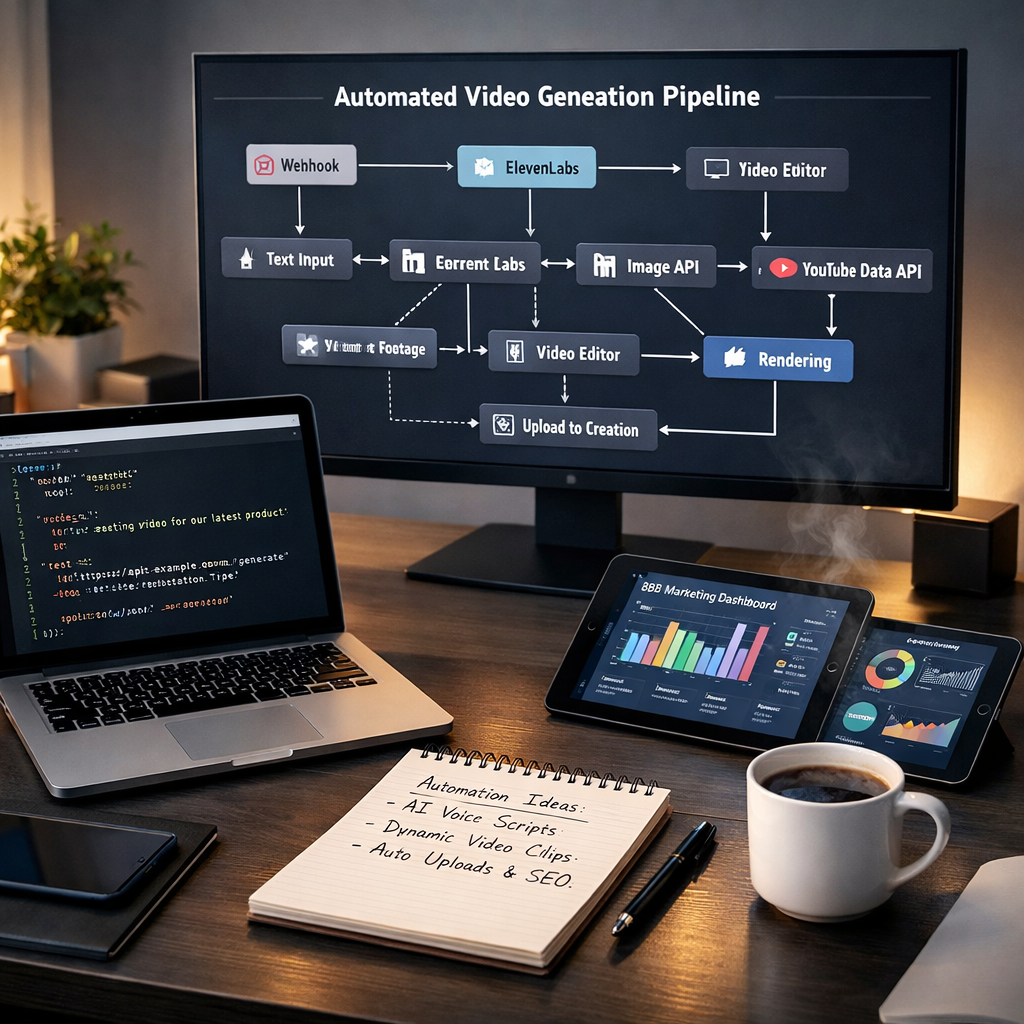
In high-growth B2B marketing landscapes, content distribution velocity is directly tied to market visibility. When an institutional capital advisory or investment research firm aims to dominate modern organic channels through AI Engine Optimization (AEO), publishing static text reports once a week is no longer viable. They must deploy video essays across dynamic platforms like YouTube daily to capture high-intent visual and search indexes.
However, traditional video production is highly inefficient. Teams spend hours manually copying scripts into voiceover engines, aligning graphics inside complex video editors, and uploading files to video host directories. This manual pipeline introduces massive content latency, high operational costs, and limits publishing output to a fraction of your target capability.
To eliminate these bottlenecks and scale your content distribution on autopilot, you must replace human editing steps with a headless rendering architecture. This guide details how to build a self-healing B2B video generation pipeline using Make.com, ElevenLabs, and the Creatomate API.
Understanding the Raw Schema: Input Payload Architecture
A resilient headless video engine requires a structured, validated input data model. The outbound REST API of your primary content application triggers a single, unified POST request to our custom Make.com webhook listener, passing this validated JSON schema:
{
  "video_id": "string",
  "youtube_title": "string",
  "youtube_description": "string with pre-formatted chapters",
  "youtube_tags": ["array", "of", "strings"],
  "target_publish_slot": "ISO 8601 timestamp",
  "source_article_url": "string",
  "linkedin_pulse_url": "string",
  "slides": [
    {
      "slide_number": 1,
      "slide_type": "title | hook_stat | content | case_study | cta",
      "entry_timestamp": "0:00",
      "headline": "string",
      "subtext": "string",
      "visual_note": "string"
    }
  ],
  "script_sections": [
    {
      "slide_number": 1,
      "entry_timestamp": "0:00",
      "narration_text": "clean narration with no markup or tags"
    }
  ]
}
To support variable video lengths without hardcoding static elements, the system must parse the slides and script_sections arrays dynamically. Our Make.com scenario uses advanced iterators to loop through these arrays, mapping visual headers and timestamps on the fly.
"Your content automation must function as a pure data pipeline. If your system requires manual file downloads or hardcoded slide counts to render videos, you are not scaling automation—you are scaling administrative technical debt." Arsalan Faysal — Revenue Systems Architect
Technical Pipeline: Step-by-Step Architecture
We configure the integration with a strict, asynchronous data flow. This ensures that every asset undergoes complete validation, voiceover compilation, timeline rendering, and programmatic publication with zero human touches.
Custom Timeline Calculations & Audio-Visual Sync
The core challenge of headless video rendering is synchronizing a variable number of slides with text changes and slide transitions against a single, continuously playing voiceover track.
We solve this by programming a custom array transformer inside Make.com. The script maps the raw slides and script_sections arrays using their shared slide_number keys, converting the string timestamp values (e.g., "0:15") into decimal seconds:
The system then calculates the duration of each individual slide dynamically, allowing the template to transition fluidly from slide to slide:
This calculated array is passed directly to the Creatomate API within a single modifications payload. Each slide object is appended dynamically to the template's master timeline, adjusting text elements and visibility settings on the fly. This programmatic approach ensures perfect audio-visual synchronization, regardless of whether a script contains 5 or 25 unique slide changes.
Self-Healing Error Handling: Securing System Reliability
A professional automation engine must be designed with strict error-handling and recovery pathways. If an external API (such as ElevenLabs or YouTube) experiences a temporary outage, or if a render task times out, your system must not fail silently.
We construct dedicated error-routing loops inside our Make.com scenarios. If any single module fails, the system executes an automated, 5-step exponential backoff retry routine. If all retries are exhausted, the scenario catches the error, writes a detailed diagnostic description to the corresponding Notion database row (setting the status to "Error - [failed step name]"), and posts an immediate alert to your technical team's Slack channel with the exact error details.
| Status Stage | Trigger Condition | System Action | Target Directory |
|---|---|---|---|
| queued | Ingestion validation succeeds | Generate audio and map timestamps | Notion / GHL |
| rendering | ElevenLabs asset returned | POST modifications schema to Creatomate | Creatomate Engine |
| failed_retry | API timeout or rate limit | Trigger exponential backoff loop (up to 5x) | System Log |
| published | Creatomate rendering complete | Upload via YouTube v3 API as Private | YouTube / Slack |
This automated error-catching design ensures that connection issues are isolated immediately, preventing data loss and keeping your content pipeline operational 24/7/365.
How We Build and Scale Headless Automation Infrastructures
We do not provide surface-level advice or lengthy slide decks. We are hands-on systems engineers who work directly in your tools, database schemas, and API webhooks to construct reliable, high-yield revenue systems.
Whether you need to configure an automated video generation engine, normalize disjointed CRM data, or set up automated marketing pipelines across your entire tech stack, we build the infrastructure that scales your business. We install the systems that let you run high-volume campaigns with complete confidence.